It is possible to run a pre-burn process proceding a cutting process by following the steps in the Machines window:
To make a preburn tool:
Create a marking tool with the tool start and end codes that apply to your preburn process, and check Preburn Only Tool under the properties. You need to save and exit machine properties and reenter at this point. The marking tool will now have a preburn symbol

To assign a preburn tool to existing tools:
In Cutting tools have the Preburn options in their tree:
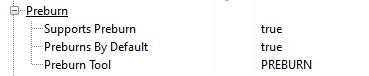
•Supports Preburn adds a Preburn checkbox to the properties of each cutting process of this tool
•Preburns By Default automatically checks the Preburn checkbox of the cutting process property
•Preburn Tool is the name of the tool (can only select Marking tools with 'Preburn Only Tool' selected - the icon will change to a preburn icon).
To preburn a process
Then under Cut in your process properties there is a Preburned checkbox. This will add a preburn process to the viewport and the tool process sequence.
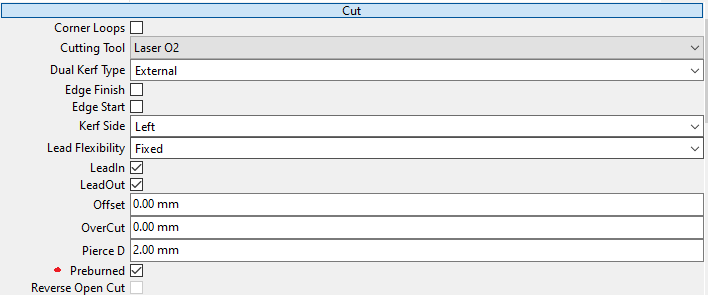
That preburn process can have it's tool changed via properties when selected.
Preburn processes do not have a kerf side code applied, so ensure that you have a close to correct kerf width applied.
Preburns can be sequenced
As with other tool processes, you can manipulate the order of preburn processes in the sequence tree, and with the Select Preburn Processes and Group Preburn Processes actions.