"When doing a rapid move, leave your cutting behind!"
See also Collision Avoidance postprocessor settings.
When programming high speed cutting machines, especially lasers, reducing the height at which the head raises between cuts can be important in achieving quick cutting times for a nest. Keeping the head low can however increase the risk of a high speed collision with a tipped up part in the nest during a rapid move.
The following example shows a program with a high risk of collision:
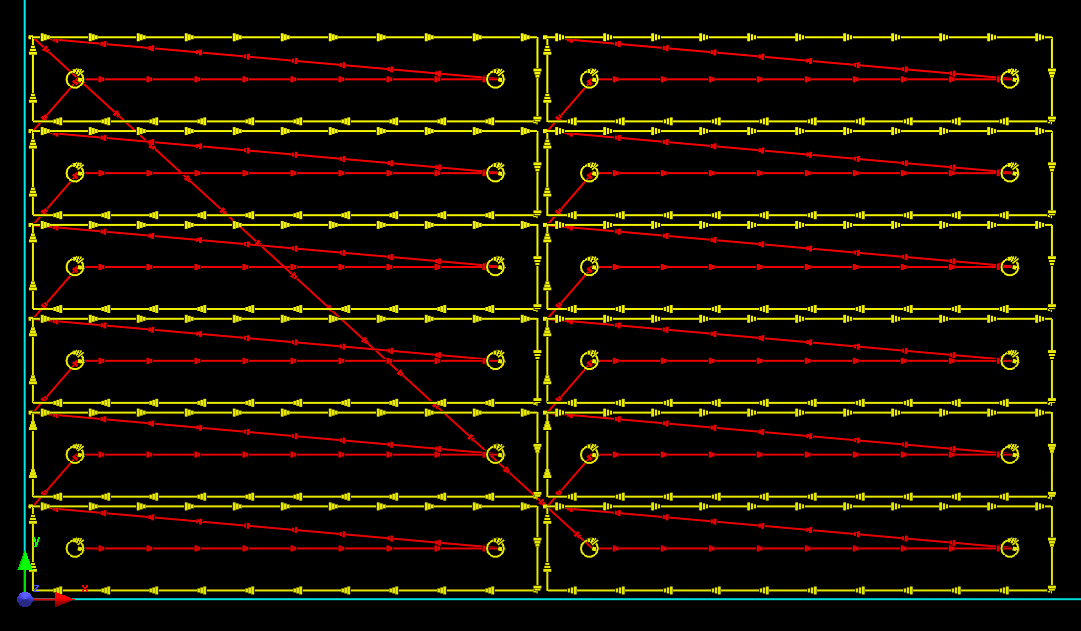
Why? Two reasons:
1.All the right hand holes on each part rapid back over themselves after cutting:
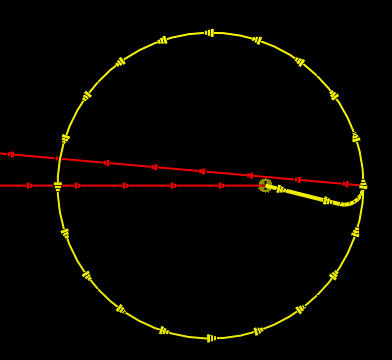
If the disk tips after cutting, the head may collide.
The risk is small on each hole , as the holes appear to be small and will likely drop, and if they do tip they will likely not sit high above the plate... but "how high is dangerous" depends on the rapid height setting on the machine. And there's a lot of holes, so the risk is multiplied. Using AntiCollide Leads on the sequence editor page, or optimizing the sequence with Collision Avoid Leads on will move leads on internal holes so that the lead is placed towards the next cut in the processing sequence, then when the cut finishes it will move away from the dropped disk, like so:
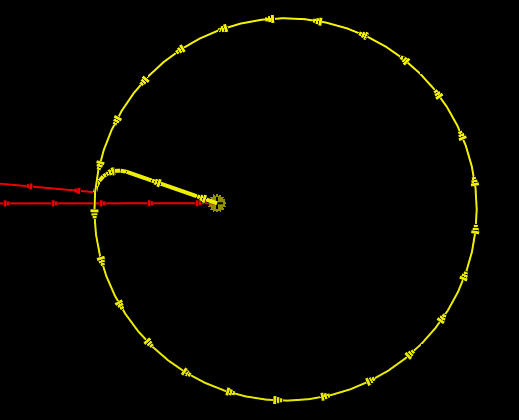
The rapid now moves away from the cut disk
AntiCollide Leads works on and internal cutout, not just on circles.
2.There is a diagonal rap[id from the top left of the first column to the first hoe on the second column which crosses almost the entire column of cut parts. This carries a high degree of risk if the head does not retract significantly. Note Collision Avoidance can be activated to force the head to rapid higher, but the best approach is to place the leads on the top right side of the parts (in this case, if we are sequencing bottom to top and left to right), so again they "leave their cutting behind"
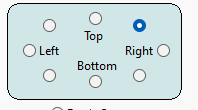
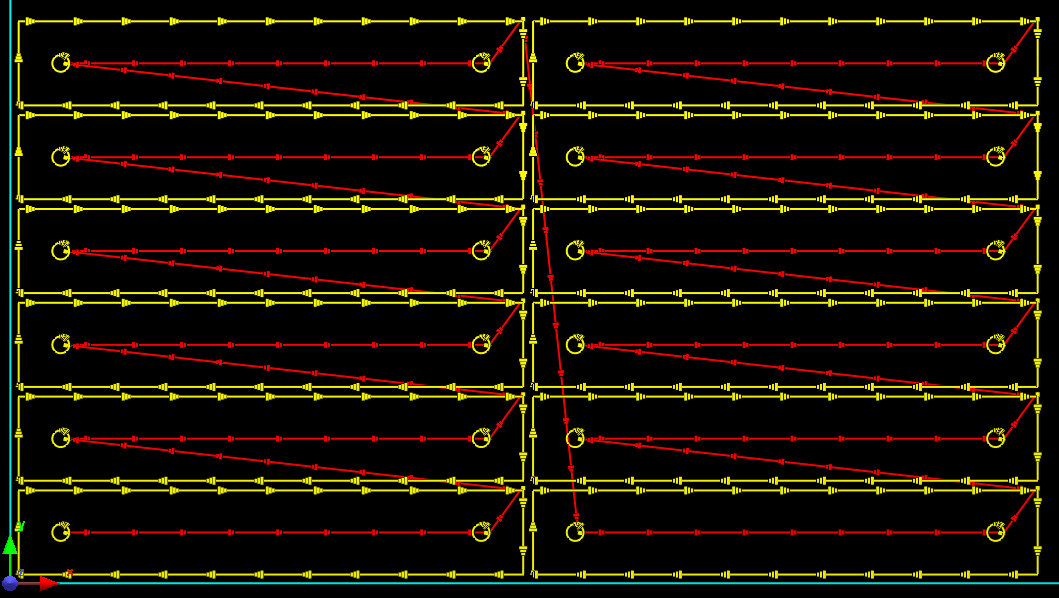
All rapids leave their cuts using Top-Right tendency, if parts are cut columnar bottom-to-top, and left-to-right. Although the dagonal rapid between columns now appears to cross the second column, these parts have not yet been cut when the rapid occurs.
AntiCollide Leads could and generally should still be used to ensure the hole leads don't cross themselves; in this case it makes a cosmetic enhancement only to the right hand holes, but for other situations it may still make a significant difference. It is good practice to always run this on lasers.
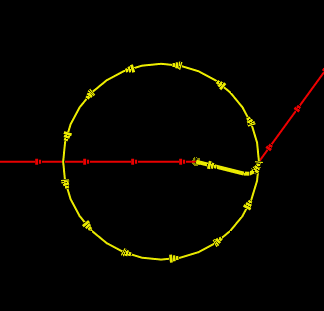
Before Collision Avoid Leads
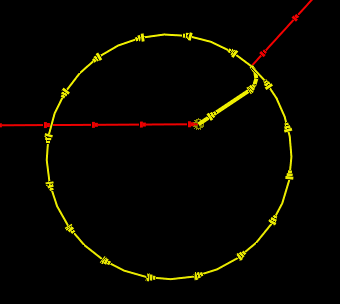
After Collisdion Avoid Leads
Note: The Optimize Order function attempts to sequence in a way which avoids hazardous rapids, but it doesn't always doi a great job- manual sequencing, or at least checking the the sequence is always a good idea.