These machine settings control how PrimeCut uses common lines when nesting. They are in the machine settings under Common-line Nesting.
Setting |
Default |
Meaning |
Off |
When on, autonest builds common-line strips across the plate's short side for parts with opposing flat edges, and common-line pairs for parts with one flat edge. A part can opt out with Allow Common-line. |
|
Autonest Common-line Min Edge Length |
25 mm |
Autonest does not common-line flat edges shorter than this, or shorter than 10 kerf widths if that is longer. |
Manual Common-line Min Edge Length |
5 mm |
Common-line arrays made in the nesting editor (C) do not use flat edges shorter than this. |
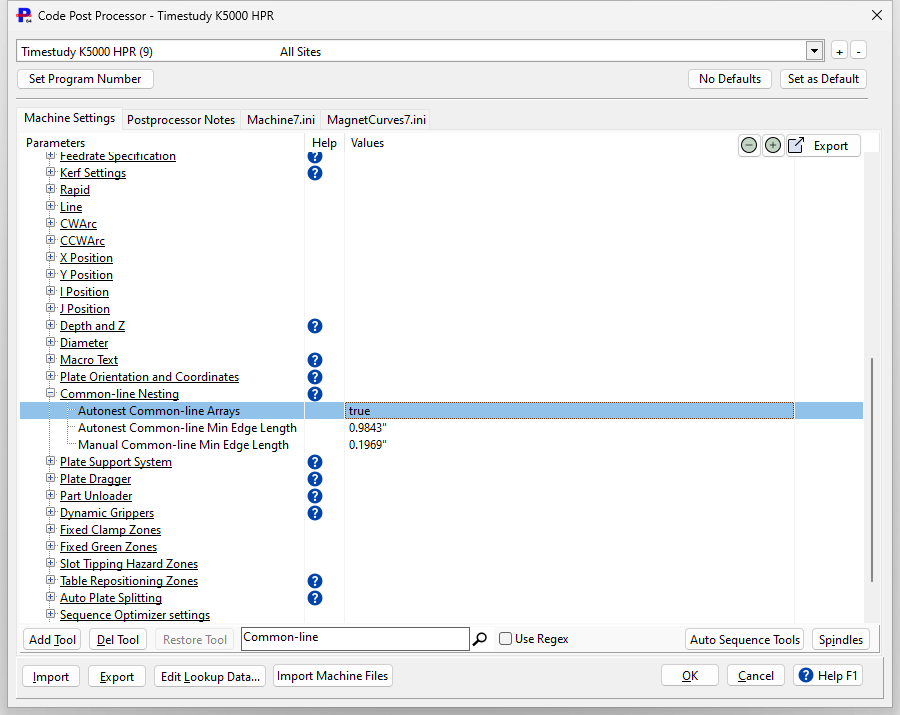
See Common-line autonesting for what autonest does with these settings, and Common-Line Arrays for arrays made by hand.
Pair cut (tool setting)
Whether a common-lined pair is cut Plain, S or G is set on the cutting tool, not the machine: Common-line Pair Cut in the tool's kerf settings. Longer strips always cut the shared lines first.
Common lines and open path settings
Common lines are their own kind of cut. They follow their own lead rules and ignore the tool's No Leads for Open Paths and No Kerf for Open Paths settings, which are for open paths you draw.