A common-line array is an array whose parts share cut lines: parts in a row or column sit one kerf apart and the line between them is cut once. Use it when a part has flat edges that face each other along the array.
Making one (C)
1.Select a part or an ordinary array. When it can be converted, Press C to common-line cluster array appears in bold at the top of the canvas. If it does not, the part has no suitable facing flat edges, or Allow Common-line is off for the part. Edges shorter than the Manual Common-line Min Edge Length do not count.
2.Press C. The array closes up to the common-line spacing and the array handle moves with it. The number of rows and columns does not change; the array just takes less plate.
3.Press C again (the canvas then reads Press C to revert to the ordinary array) to go back. The original array is restored exactly, including spacing, stagger and rotation.
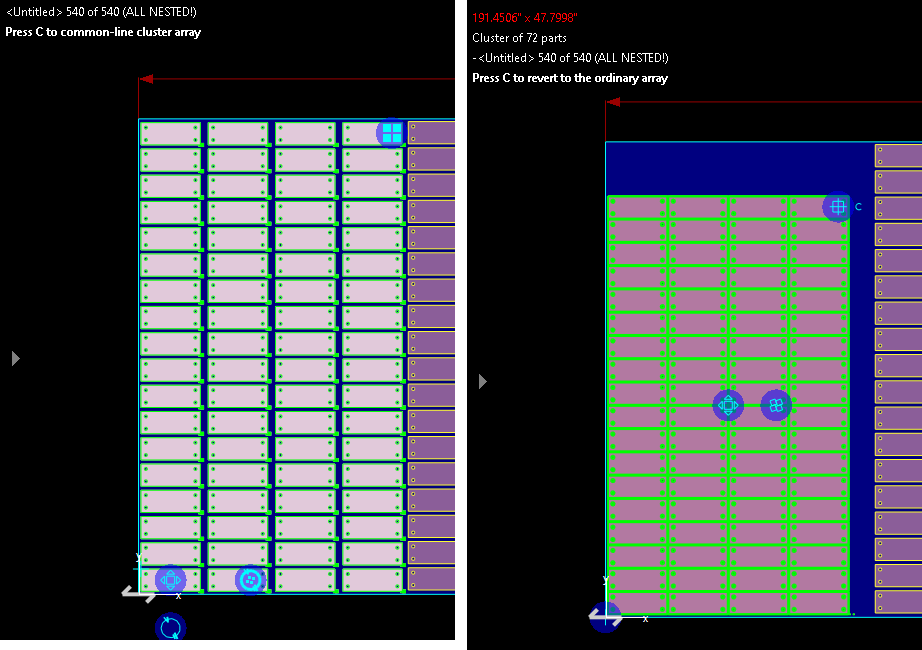
Each direction where facing flat edges allow it is common-lined; if both qualify, the direction that saves the most plate is done first. A single part can be made a 1x1 common-line array, so the handle can then extend it. Edges at an angle to the array work too: the spacing is lengthened so the kerf gap stays square to the edge.
The common-line array handle
A selected common-line array shows its handle at the far corner: a box of four squares with the common lines running out past its edges. Drag it as you would an ordinary array handle to change the rows and columns. The preview shows added parts in green and parts that would be removed crossed out in red, with a readout of the old and new rows and columns. The array is rebuilt once, when you release.
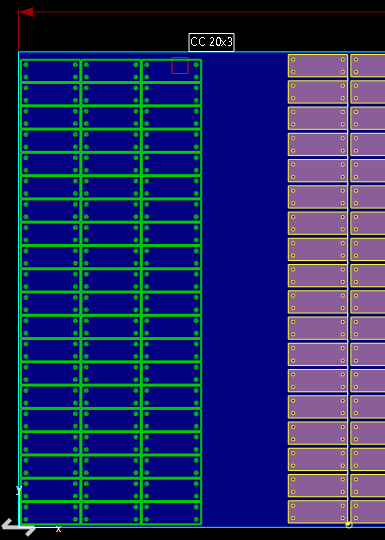
Pressing C while dragging the handle of an ordinary array converts it mid-drag, and the count then follows the handle at the common-line spacing. C again goes back to ordinary spacing. Esc cancels both.
Rotated arrays
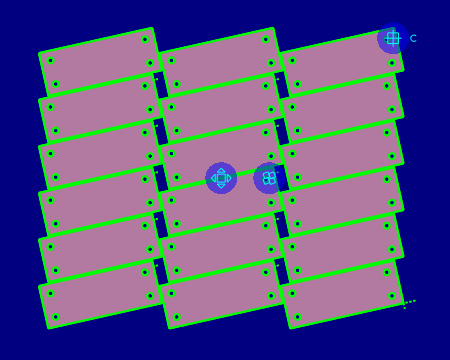
The array angle handle also works on a common-line array: the parts turn in place and stay common-lined.
Cutting
Holes are cut first, then the shared lines (each direction in a continuous run), then the outline. To change the offset between the parts, select the array and use the common-line strip above the canvas; see Glue Common.
Taking parts out, or gluing
Hold X to pull parts out of a common-line array (see Pulling Parts Out of Clusters). Glue Common (G) can drag a whole common-line array and glue it to another part; it is then an ordinary common-line cluster and C no longer reverts it.
See also Glue Common, Creating and Sizing Arrays, Common Line and Common Crop Cutting.