Once the new combining run has been imported, PrimeCut NE looks at each earlier workorder it took parts from.
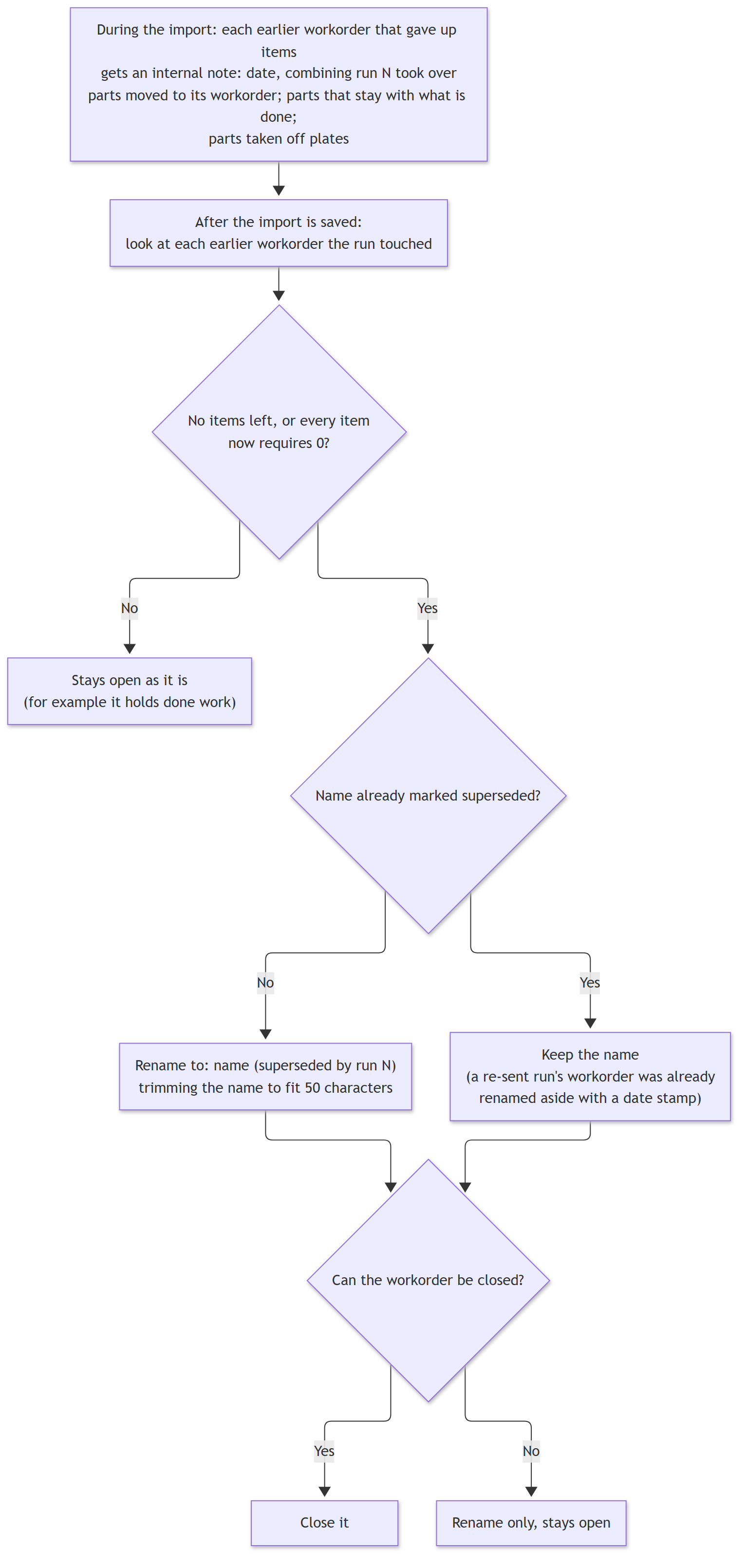
Chart 4 - the earlier workorder afterwards
Renamed and closed when there is nothing left to do
A workorder left with no items, or only items that now require nothing, is renamed with (superseded by run N) after its name, for example WO-1234 (superseded by run 9002), and closed. The name is shortened if needed so the whole name fits in 50 characters. A workorder already marked superseded keeps its name and is only closed.
A workorder still holding done work (parts on scheduled or cut plates) stays open as it is.
Internal notes
Each earlier workorder records what the run did to it in its internal notes, for example:
07/10/2026: combining run 9002 took over P1 (moved to its workorder); P2 (stays here with what is done); taken off plates: P3
See Also
Combining Runs: Parts Moving Between Runs